Use the segmentation model catalog
Choose the right segmentation outcome, understand the new model families, and verify an automatically planned architecture before starting compute.
Choose the segmentation outcome first#
Choose the task from the result you need, not from a model name. State that outcome clearly in the training instruction so planning can select compatible targets, architecture, loss, metrics, and transforms.
- Semantic segmentation assigns a class to each region or pixel without preserving separate objects of the same class.
- Instance segmentation preserves separate masks for individual objects, including touching objects of the same class.
- Panoptic segmentation combines instance-aware objects with background or other non-instance regions in one structured result.
Understand the new catalog families#
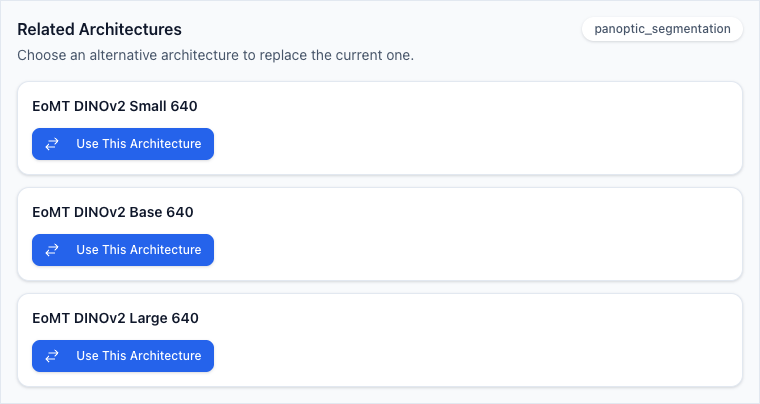
- EoMT DINOv2 Small 640, Base 640, and Large 640 are catalog choices for panoptic segmentation.
- RF-DETR Segmentation Nano, Small, Medium, and Large are catalog choices for instance segmentation.
- RTMDet-Ins Tiny, Small, Medium, and Large are catalog choices for instance segmentation.
Review or change the planned architecture#
- Let planning choose the initial architecture
Create the pipeline from the dataset and natural-language instruction. The platform does not require a model choice in the creation dialog.
- Wait for planning to complete
Do not start the run until the generated task and resources are available for review.
- Open the Architecture resource
In Pipeline Tasks, expand the model-training task and open its Architecture resource.
- Open Knowledge Base
Review Related Architectures for the current task. A family that is absent is not an available replacement for this planned resource.
- Check task fit and availability
Confirm the candidate’s segmentation target, variant, parameters, availability indication, and support on the selected ML backend before choosing Use This Architecture.
- Save before the first run
Save the replacement and reread downstream resources before running. After a pipeline has run, clone it first when a different architecture is required.
Verify the contract before and after the run#
- Before running, confirm the selected dataset, segmentation target, architecture, backend, loss, metrics, transforms, input handling, and validation warnings.
- For panoptic work, confirm that labels distinguish individual objects from non-instance regions where the dataset requires both.
- For instance work, confirm that annotations preserve separate objects rather than only a merged class mask.
- Interpret only the metrics and result fields returned by the completed model version; do not compare semantic, instance, and panoptic measures as if they were interchangeable.
- Record the exact pipeline and model version when reviewing, reporting, or deploying a result.